
Free online embroidery digitiser
Turn anything into
Upload your image, preview the stitches and download Classic embroidery files free with an account. No card required. Try AI Digitise previews free; AI downloads require a paid plan.
SewFlow · the embroidery digitizer
From image to ready-to-stitch file
Upload any artwork and SewFlow turns it into a clean, machine-ready embroidery design — no manual digitizing.
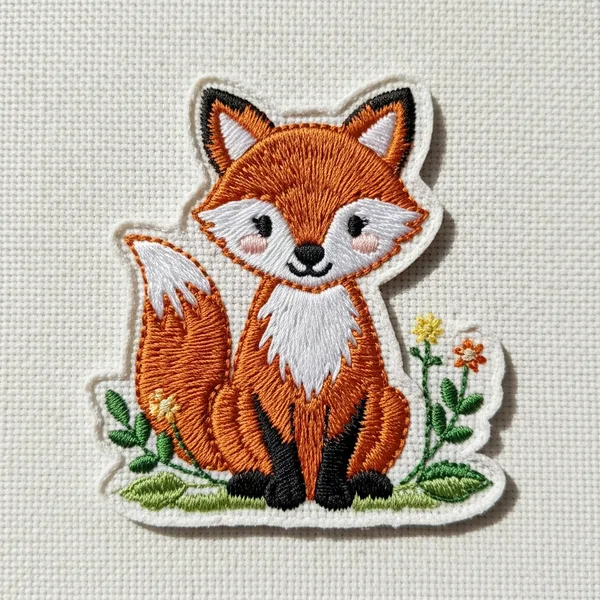
Everything you need to create embroidery files
No software to install. Classic image digitising and downloads are free with an account. Preview every tool free; AI Digitise and other premium exports require a paid plan.
Swipe to explore →
How it works
From image to embroidery file in three steps.
Upload your image
Drag and drop any PNG, JPEG, SVG, WebP, or BMP file — or type text, or draw shapes in Studio.
Adjust settings
Remove the background, set your hoop size, and override thread colors per layer.
Download your file
Download Classic image designs free with an account in JEF, DST, PES, EXP, XXX or SEW. AI Digitise and other premium exports need a paid plan. Load your file onto a USB drive and start stitching.
Six formats, every machine covered
Choose the format your machine needs. Download Classic image designs free with an account. AI Digitise and other premium exports require a paid plan.
Swipe to see all six →
Loved by stitchers everywhere
From first-time hoopers to home embroidery businesses — here's what they're saying.
“ok I was skeptical but I put my dog's photo in and it actually came out looking like him. stitched it on a hoodie sunday. PE800 took the file no problem”
“Was paying $80/mo for digitizing software for my patch shop. Cancelled it last month. Haven't had a single bad DST yet, will update if that changes lol”
“typed in 'retro sunflower' just to see what happens and now it's on a tote bag. I've made like 6 more since. send help”
“My grandma doesn't do computers but she sits with me and picks the thread colours while I do the rest. It's become our Sunday thing.”
“I do monograms and the letters come out clean, no puckering. Only thing I'd want is a couple more fonts but the ones there are good.”
“Sent the same logo to a paid digitizer and ran it through here to compare. Customer picked this one. Didn't tell them which was which.”
“The real preview thing is weirdly accurate?? What's on my screen is basically what comes off the hoop. Wasted way less stabilizer this month”
“Needed our school logo in team colours by Friday. Recoloured it myself in a few minutes instead of emailing a digitizer back and forth for a week.”
Why choose SewFlow?
Swipe to explore →
Frequently asked questions
Can I digitise an image and download the embroidery file for free?
Yes. Upload your image, preview it in Classic mode and create a free account to download PES, DST, JEF, EXP, XXX or SEW files. No card or software installation is required. Text and font downloads and embroidery file conversion are also free with an account. AI Digitise previews are free; AI downloads require a paid plan.
What image formats can I convert to embroidery files?
You can upload PNG, JPEG, SVG, BMP, WebP, GIF, and TIFF images (up to 10 MB). SewFlow automatically detects colors, removes the background, and generates stitch paths for JEF, DST, PES, EXP, XXX, or SEW output.
Can I generate an embroidery design with AI?
Yes. Guests can try one AI design. Monthly AI generations are included in paid plans, not Free accounts. Download Classic embroidery free with an account. AI Digitise previews are free; AI downloads require a paid plan.
Can I convert text to an embroidery file?
Yes. Type any text, choose a lettering font and thread colours, then preview and save the stitches free. Text and font downloads are free with a free account, in JEF, DST, PES, EXP, XXX or SEW.
What is SewFlow Studio?
Studio is a full canvas design tool where you can combine images, text, shapes, and fill patterns on one hoop, arrange and save the design free, then download one combined machine file with a paid plan or bonus credit.
What's in the Design Library?
The Design Library contains curated SewFlow originals plus community and AI-generated contributions. Browse, preview, and save designs free; download a machine file with a paid plan or bonus credit, or open a design in Studio to customize it.
Which embroidery machines does JEF work with?
JEF files are compatible with Janome and Elna embroidery machines. Copy the file to a USB drive (in the EMBF folder) and load it directly on your machine.
Which machines use PES files?
PES is the format for Brother and Babylock embroidery machines, including popular models like the PE800, SE700, and Luminaire series.
Which machines use DST files?
DST (Tajima) is an industry-standard format supported by Tajima machines and a wide range of commercial and home embroidery machines.
Is SewFlow free to use?
Classic image digitising and machine-file downloads are free with a free account. AI Digitise previews are free; downloading an AI-digitised design requires an active paid plan. Guests can generate one AI design. Free accounts have no monthly AI generation allowance. Other premium exports require a paid plan or bonus credit.